How to Install a Claude Skill (With a Free One to Try)
What Claude skills are, and how to install and use them in plain steps for Claude Code and claude.ai, with a free skill to try. No coding background needed.

I have zero coding background, and Claude skills are still the thing that changed how I work the most this year. My morning market brief, the check I run on news before I post, the way I keep my face mine in AI pictures, all of that runs on skills. So here is how to install one, in plain steps, and a free one you can try today.
What are Claude skills?
A skill is a folder of instructions you give Claude once, so it does a job your way every time. Inside there is a file called SKILL.md that says what the job is and how to do it, and sometimes a few small scripts or examples.
The difference from a normal prompt is that you don't paste it every time. Claude reads the short description of every skill you have, and when your request matches one, it loads that skill on its own. You can also call it by name, with a slash, like /still-you.
What you need
Claude Code (the app or the terminal), or claude.ai with code execution turned on
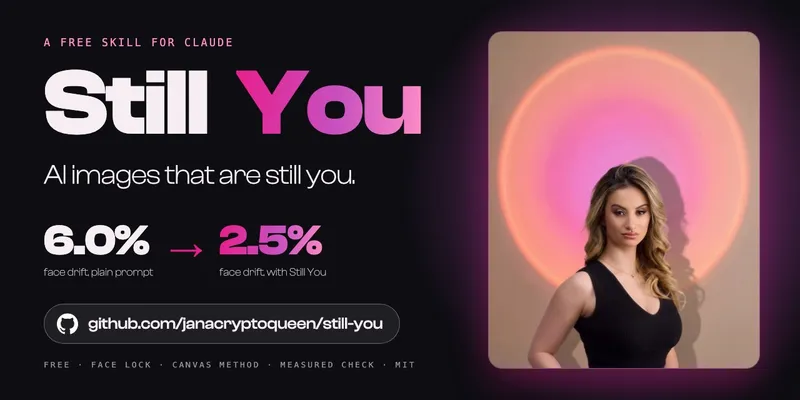
a skill to install. If you don't have one yet, use mine: Still You, free, for keeping your face yours in AI pictures
How to install a Claude skill in Claude Code
The easiest way is to just ask Claude. Paste this into Claude Code:
https://github.com/janacryptoqueen/still-you

Install this skill, then confirm /still-you works.
If the skill is shared as a plugin, you can also add it yourself:
/plugin marketplace add janacryptoqueen/still-you/plugin install still-you@still-youOr by hand: a skill is just a folder. Put it in ~/.claude/skills/ for all your projects, or in .claude/skills/ inside one project if only that project needs it. The folder name is the skill's name, and the SKILL.md file has to be directly inside it.
How to install a Claude skill on claude.ai
No terminal needed.
Download the skill as a zip. For Still You, it is
still-you.zipon the latest release page.In claude.ai, open Customize, then Skills.
Upload the zip and switch it on.
Code execution has to be on, because many skills run small scripts.
How to use it once it is installed
Two ways:
Just ask. Describe the job in normal words, for example "help me make an AI picture of me that still looks like me". If your words match what the skill says it is for, Claude picks it up.
Call it by name. Type
/still-you(or the name of your skill) and say what you want.
If Claude doesn't pick it up, check the skill is switched on, then try the slash name. Most of the time it is that.
The skills I use every day
So you can picture it, these are the ones I lean on most.
My morning market brief. It scans the coins I watch and the last two days of news, checks every fact at the original source, and gives me two or three drafts in my voice to choose from.
My news check. When a headline looks big, it traces the story back to where it started and tells me if it is a real big deal, real but small, or hype for clicks, before I post anything about it.
My talk builder. When I prepare a talk, it keeps my structure locked and my own words first, so the slides never start sounding like someone else.
Still You. The one I share for free, for pictures that still look like me.
I didn't write any of them in code. I explained how I do each job, in my own words, and built the skill with Claude. That is the part people don't expect: the skill is just your way of working, written down once.
Is it safe to install someone else's skill
A skill can tell Claude to run code, so treat it like any app you download. Install skills from people you trust, open the SKILL.md and read what it does before you use it, and be careful with anything that asks for passwords or keys. Mine are public on GitHub so you can read every line first.
Where to go next
Try the full walkthrough for Still You: keep your face yours in AI pictures.
Read why I made it: the article.
More of my guides are on the tutorials page.
I am a former mining engineer from Brazil, not a developer. If I can run my content, my research and my pictures on skills, you can install your first one in five minutes.