Keep your faceyours inAI pictures.
A free Claude skill that prepares your photo, writes the prompt, and measures the result before you post it. About 20 minutes the first time.
 Binance
 Crypto.com
 Bybit
Bybit BC.Game
What you will have at the end.
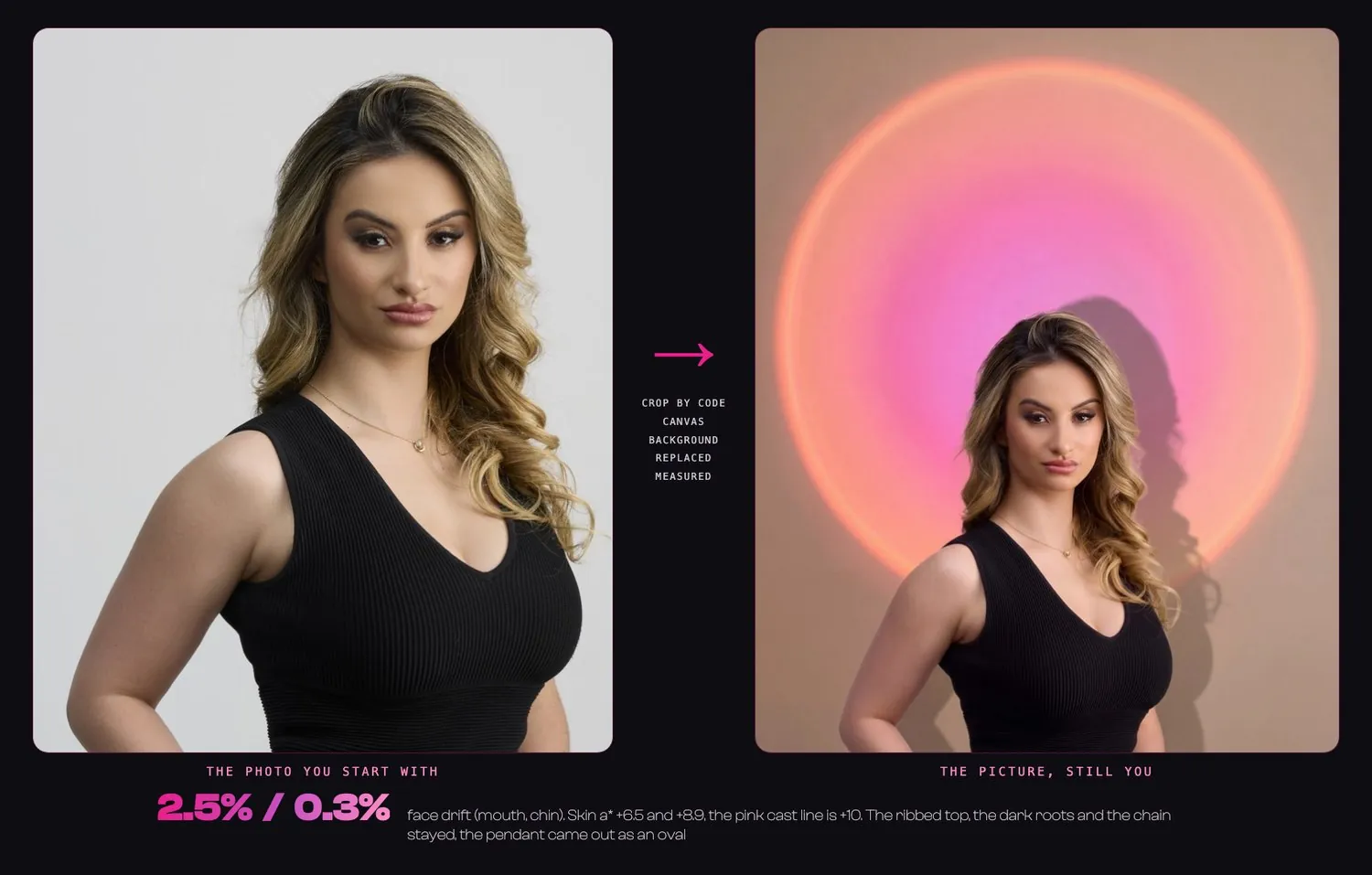
One picture of you that is still you, and the numbers that show it. If the first try drifts, you will know why and what to change.
Four things, before you start.
- Claude with code execution (Claude Code, or claude.ai with code execution on)
- one clear, full-size photo of you, the best light you have, the expression you want
- the image tool you already use (Gemini or AI Studio with Nano Banana Pro, Higgsfield, or another one that takes a reference photo)
- Python 3.9 or newer with Pillow and NumPy for the checking scripts
Seven steps, start to finish.
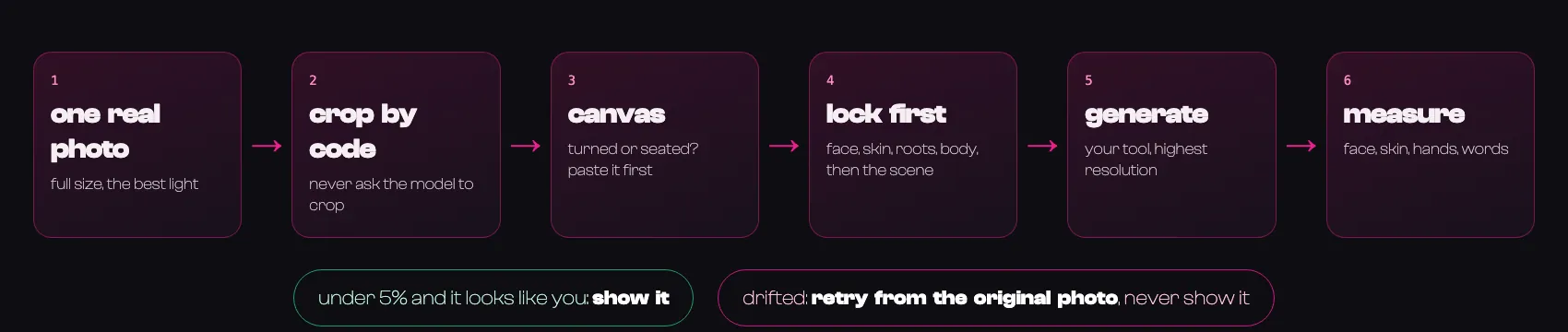
Install the skill
Pick one.
Paste into Claude (the easiest):
Claude Code plugin:
claude.ai, no terminal:
Download still-you.zip from the latest release, open Customize, then Skills, and upload it.
Pick your photo
Look at it at full size and check:
- is it a full-size original, not a screenshot
- is it the light you want to keep (the model keeps your light, so a good one stays good)
- is the expression the one you want (the model keeps it, so a different smile means a different photo)
- is your head turned, or are you sitting (then you will use the canvas in Step 4)
- does anything cover part of your face (hair, a hand): it will stay exactly there
Write down what you see: your hair and its roots, your skin, any tattoo or watch, your eyeline. Claude will ask you for this, and the photo is the truth, not your memory.
Tell Claude what you want
Copy this, change the brackets, and attach your photo:
Claude asks for anything missing: what the picture is for, the words that must appear (three short strings at most), and which tool you use.
What Claude does with your photo
It cuts the exact frame from your full-size photo by code, from just above your head to just below your belt. Never ask the model to crop. If your head is turned or you are sitting, it puts your photo on a plain canvas at the size and place you want, so the model only has to change the background.
You will see two files, source.png (or canvas.png) and a close-up of your face cut from the same photo.
Make the picture in your tool
Claude gives you one long prompt. It is long on purpose: the first half locks you (your face, skin, roots, hands, clothes) and the second half describes the scene. Do not shorten it.
- 1Open your image tool and choose the Nano Banana Pro or the edit model with reference images.
- 2Attach image 1 (the source or the canvas) and image 2 (the face close-up).
- 3Paste the whole prompt.
- 4Choose the aspect ratio and the highest size the tool offers. On the same prompt we saw 2K drift a face 7.9% and 4K 2.9%.
- 5Generate one picture. Save it at full size, not a screenshot.
Higgsfield users can let the skill run it. It prints the price first and --dry-run spends nothing:
Check it before anyone sees it
This is the part that saves you. Claude will:
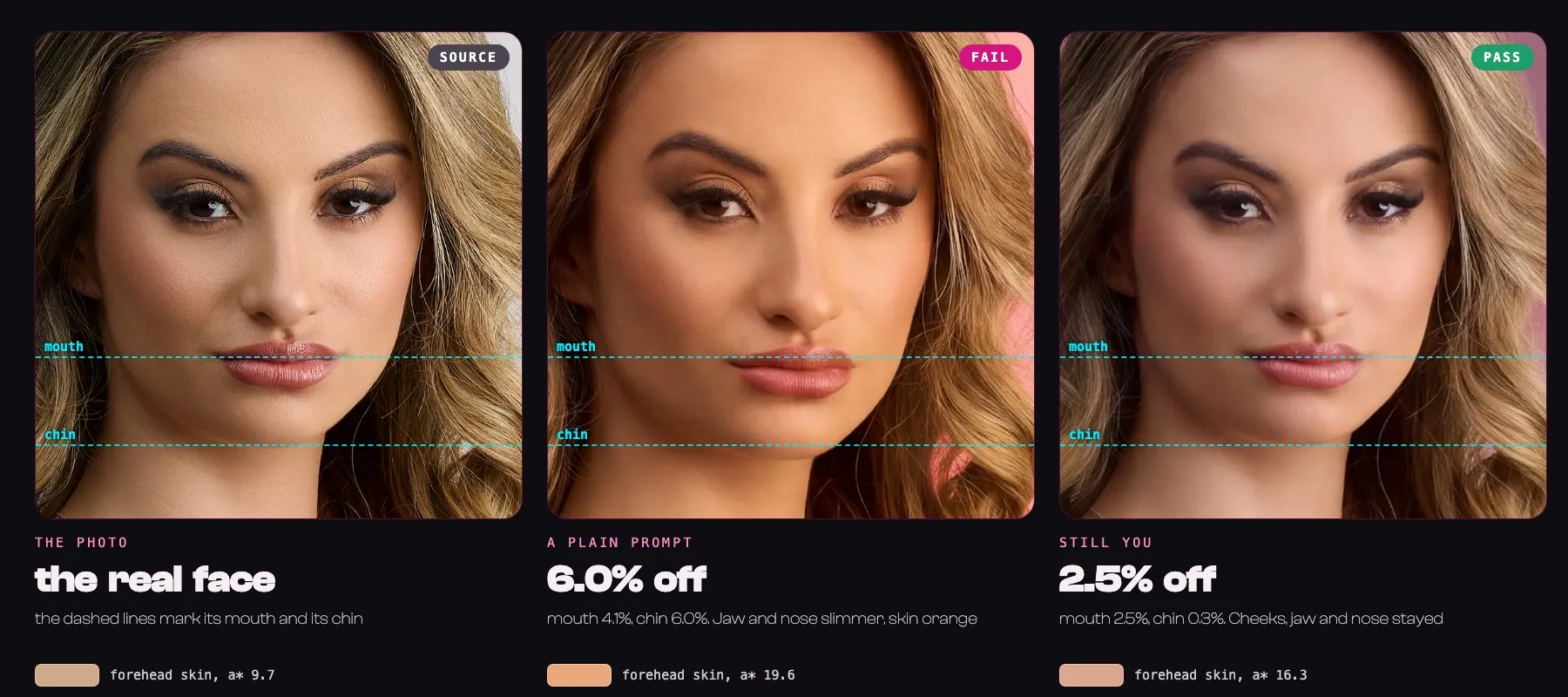
- 1zoom into your face in the photo and in the picture with a labelled grid, and read four points on each: the middle of each pupil, the middle of the mouth, the bottom of the chin
- 2compare how far the mouth and the chin sit from the eyes, in both
- 3measure whether your skin tone moved
What the answers mean:
| You see | It means | What to do |
|---|---|---|
| both ratios under 5% | the numbers hold | look at the proof sheet by eye, then use it |
| 5 to 8% | borderline | read the points again, look at the nose and the skin, retry if unsure |
| over 8% | the face drifted | do not use it, retry |
| PINK CAST | the skin tint rose 10 or more | retry, keep warm words out of the scene |
The numbers can fail a picture. They can never pass one on their own, so you always look as well: eyes, nose, lips, jaw, roots, pores, hands, every word.
Finish
Add your logo and your headline afterwards, by code, never in the AI picture. Shrink the picture to 360 pixels wide: if the words are unreadable or your face is lost, fix it. If your platform asks for an AI label, add it.
If it fails, try again.
Retry from your original photo with the full prompt, never from the generated picture. Fix one thing at a time:
- face longer or nose slimmer: use the canvas, add the close-up as image 2
- skin pink or orange: repeat the light lock, take warm words out of the scene
- hair colour changed: write the colour and the roots as things to keep
- body drawn below the crop: make the layout fit the crop
At most two retries, then pick another photo. Claude will say so in one line.
Use it for yourself, or for people who said yes
Do not use it for people who have not agreed, and not for anything that puts a real person in a false situation.
Get the skill, help it grow.
The skill on GitHub. A star helps other creators find it.
Open the skill on GitHubShow your results, with the numbers, even the ones that failed.
Show your resultsThe story behind it.
Read the article